 TradeCalmly
Guide · Exness
Create a Passview at Exness
The Passview (read-only / investor password) of an MT5 account at Exness is set in the Exness Personal Area. Four steps, about 3 minutes, then connect it in TradeCalmly.
- You need
- The email and password of your Exness Personal Area.
- Where to sign in
- In Exness’s official client area, where you opened the account. The broker’s main site: exness.com
TradeCalmly is not affiliated with any broker and recommends none. Broker names are here only so you recognise the screens you will see.
Steps
-
Step 1
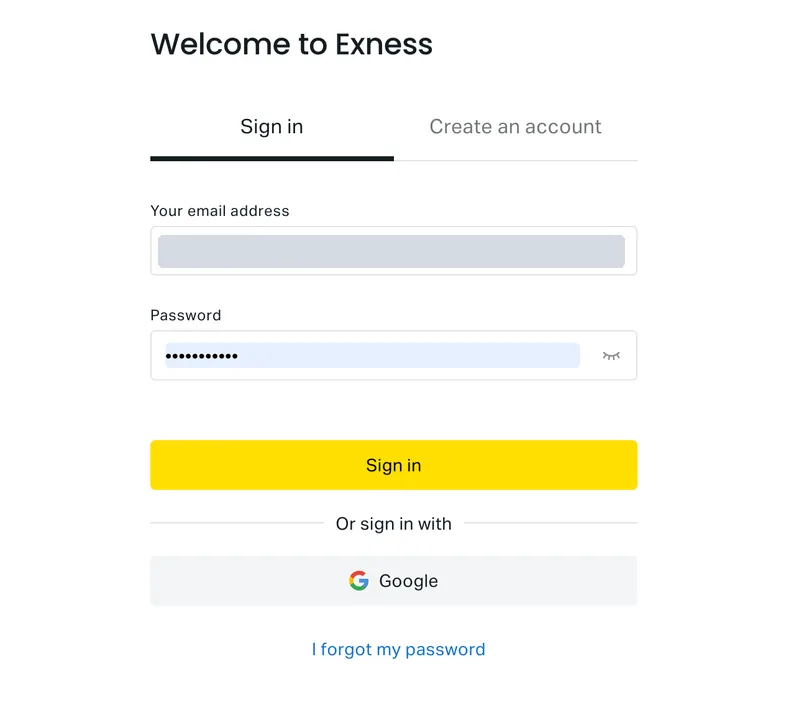
Sign in to the Personal Area
Sign in with your email and Personal Area password. This is the password of the account area, not of MT5.
-
Step 2
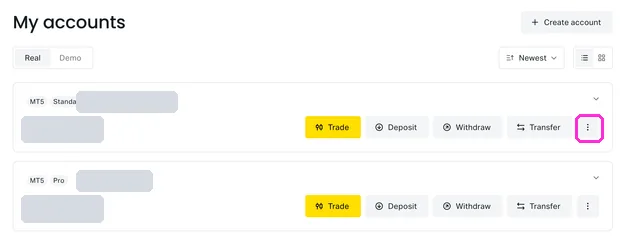
Open the account’s settings
In “My accounts”, press ⋮ on the MT5 account you want to connect, then choose “Account settings”.
-
Step 3
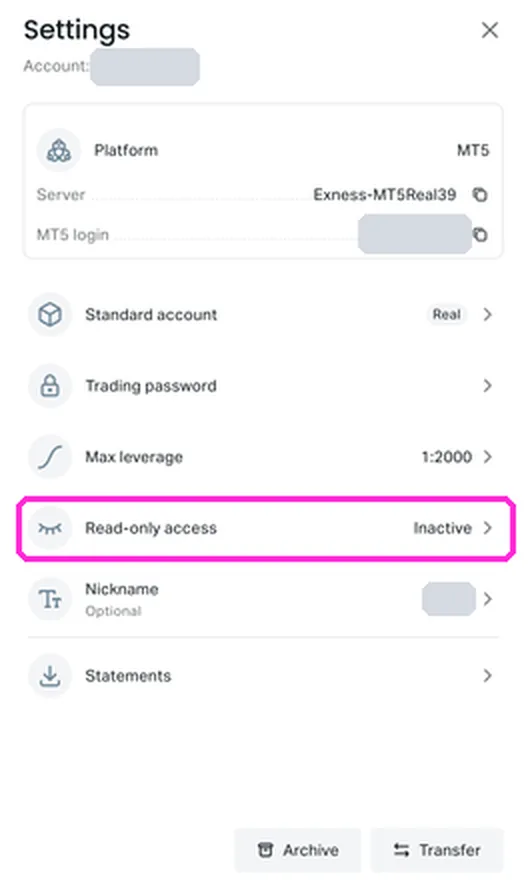
Choose “Read-only access”
In the settings panel, press “Read-only access”. The same panel shows the server’s name on its “Server” line, for example Exness-MT5Real15: note it down to pick it in TradeCalmly.
-
Step 4
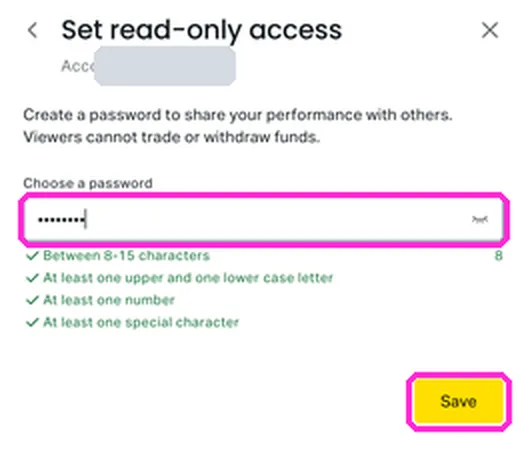
Set the Passview and save
Type the Passview: different from your trading password, 8–15 characters, with upper and lower case letters, a number and a special character. Press “Save”, then confirm if Exness sends you a code.
Screenshots from November 2026. A broker's pages change over time, so a button may read slightly differently.
Connect in TradeCalmly
- Open TradeCalmlyThe web app at my.tradecalmly.com, or the app on your phone.
- Open Connect MT5 accountPick your account’s broker and server.
- Enter the login number and the PassviewThen press Connect. The app loads 90 days of history and keeps itself in sync from then on.
Why it is safe
A Passview is read-only: TradeCalmly can never open or close a trade, and cannot withdraw money. Disconnect and the Passview is deleted at once. See also the privacy policy.
Where to find the server’s name
In your broker’s client area (next to the account number), in the account opening email, or in the MT5 app. Pick it letter for letter: Real and Demo are different servers.